
Most drawing apps for kids are digital colouring books with a lot of sparkle and not much purpose. Kids Drawing, Doodle Painting (iPhone and iPad) is a drawing app for kids that also hides real pre-writing practice inside it: letter tracing with numbered strokes, shape building, dot-to-dot counting and colour names you can hear. We spent time with it as parents and teachers would, with a pre-reader beside us, and this review covers what we tried, what worked, what to watch for, and how to fit it into a short drawing-and-phonics routine at home or in class.
Disclosure: a sister studio made this app
Kids Drawing is made by Doodle Cub, a sister studio of Phonicademy. Nobody paid for this review, but we are not a neutral party, so we have kept the cons in, checked every feature against the App Store listing and left out prices, ratings and quotes we cannot back up.
Our verdict in 30 seconds
- Best part: ABC Draw. Each letter is broken into numbered strokes with a start dot and an arrow, upper and lower case, next to a picture word (B, Ball). It is a clear model of letter formation.
- Also useful: Shape Builder (draw triangles, circles and rectangles to build a picture) and Dot Quest (join dots while counting to 50, skip counting or working through letters).
- Pure fun, still drawing: the Studio canvas, Draw Alive, and the three drawing adventures (Doodle Island, Glow Trails, Color Kingdom). Good as the reward at the end of a session.
- Watch for: most games stop after a few free levels, so the full letter set and lessons need Premium; upgrade screens appear (behind a grown-up check); tracing on glass does not replace a pencil on paper.
- For parents: no ads, no chat, no account to create.
Kids Drawing at a glance
| What we found | |
|---|---|
| Devices | iPhone and iPad (the app runs in landscape) |
| Price | Free to download; Premium is an auto-renewing subscription or a one-time purchase. Prices vary by country, so check the App Store. |
| Account | None to create. The app signs in anonymously in the background to download lessons and pages. |
| Ads and chat | No ads, no chat. Purchases and links out of the app sit behind a parental gate. |
| Data | Firebase Analytics without the advertising identifier; drawings stay on the device unless you share or export them. |
| Literacy-related activities | ABC Draw, Color Names, Shape Builder, Dot Quest, Draw Alive |
| Best used for | Letter formation, shape and colour words, fine-motor warm-ups, motivation |
Why a drawing app for kids can support early reading
Drawing is not phonics, and no app turns it into phonics. But three things that matter for early reading and writing are trained by drawing, and that is where an app like this earns its place.
- Letter formation. Writing a letter means planning a sequence of strokes: where to start, which way to go, when to lift. Children who form letters the same way every time free up attention for spelling later. Stroke order is exactly what ABC Draw makes visible.
- Visual-motor control. Before letters, children learn to copy lines and simple shapes. Occupational therapists often use the first nine forms of the Beery VMI test (lines, circle, cross, square, diagonals, triangle) as a sign of handwriting readiness; a study by Weil and Amundson (1994) found that kindergartners who could copy those forms copied letters better. Shape Builder and Dot Quest practise the same kind of controlled line.
- Letter knowledge and writing. The National Early Literacy Panel (2008) found alphabet knowledge, phonological awareness and early writing (including writing one's own name) among the skills that predict later reading. A drawing app can feed the first and third of these; the sound work still comes from you.
There is one important caveat. In a brain-imaging study, James and Engelhardt (2012) found that printing letters freehand activated reading-related brain areas in preschoolers more than typing or tracing them did. Longcamp and colleagues (2005) also found that, among preschoolers aged roughly 3 to 5, the older children recognised letters better after learning them by hand than by typing. So we treat on-screen tracing as the model (see the strokes, feel the order) and always follow it with freehand writing on paper. The routine further down is built that way.
What we tried, and what worked
ABC Draw: the strongest feature for letters
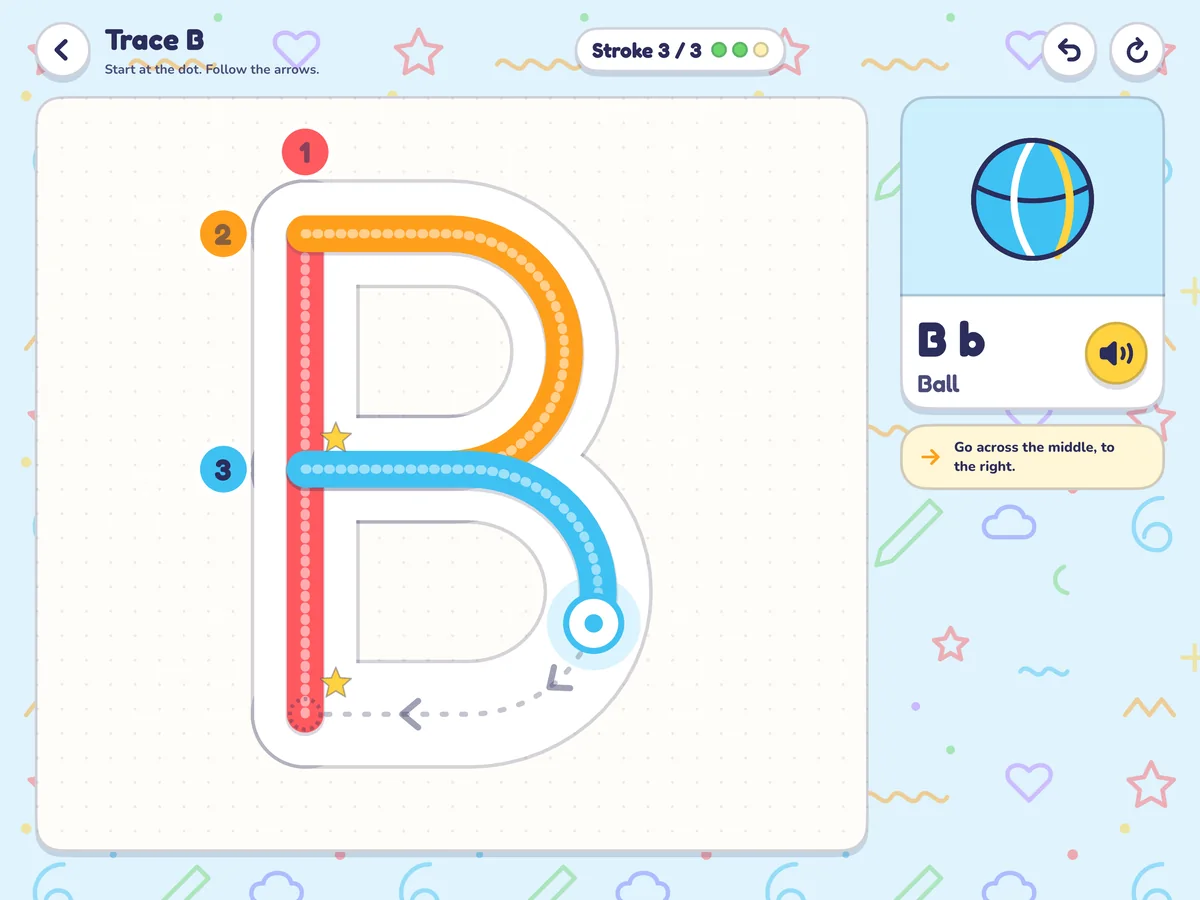
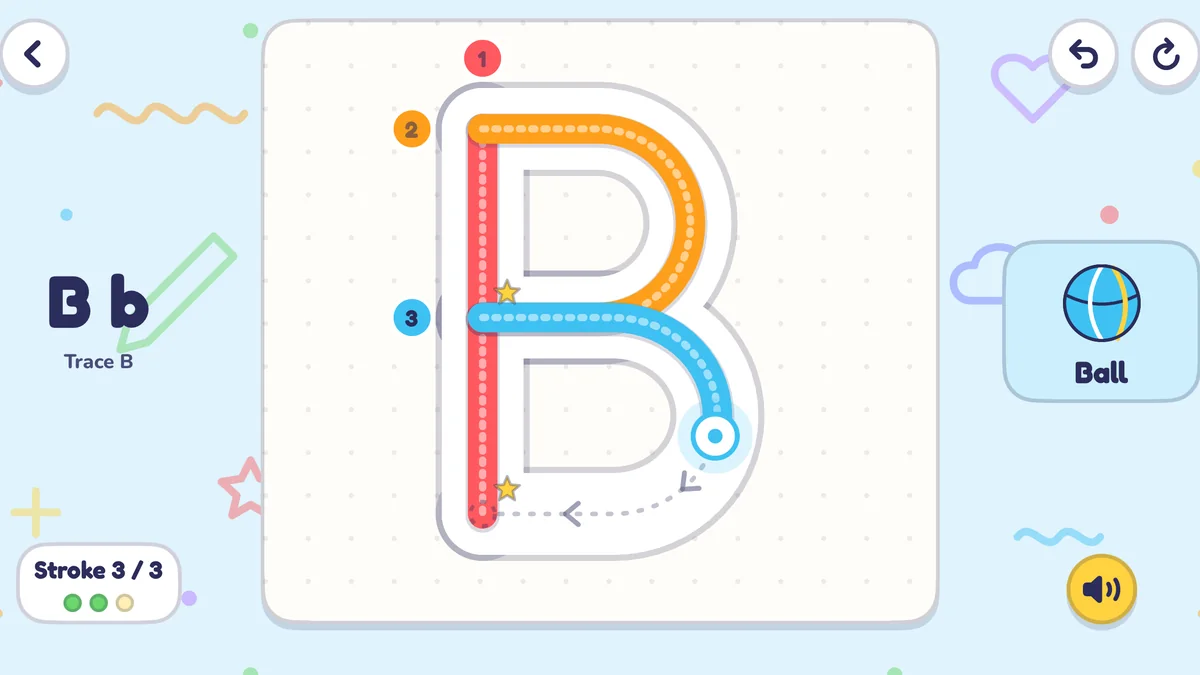
Each letter appears large on a dotted page. Numbered circles mark where each stroke begins, a dotted path and an arrow show the direction, and a counter at the top (Stroke 3 / 3) tells the child how far along they are. A picture card sits beside the letter with its upper and lower case form, a keyword (B, Ball) and a speaker button. The App Store listing says ABC Draw covers every letter in upper and lower case, then moves on to spelling and drawing whole words.
What worked for us: the numbers. With the red 1 sitting at the top of the line, there is no doubt where a B begins, and starting in the wrong place is the habit we most often have to undo on paper. What we added ourselves was the sound. As the child traced, we said "/b/, /b/, ball" in a short, clipped way rather than the letter name "bee", so the shape got linked to the sound used for reading. If that distinction is new to you, our guide to letter sounds vs letter names explains why it matters.
Watch for speed. On a smooth screen it is easy to race along the path. If the line is wobbly and fast, ask for one slow trace while you count the strokes out loud, then move to paper.
Shape Builder: pre-writing shapes with names
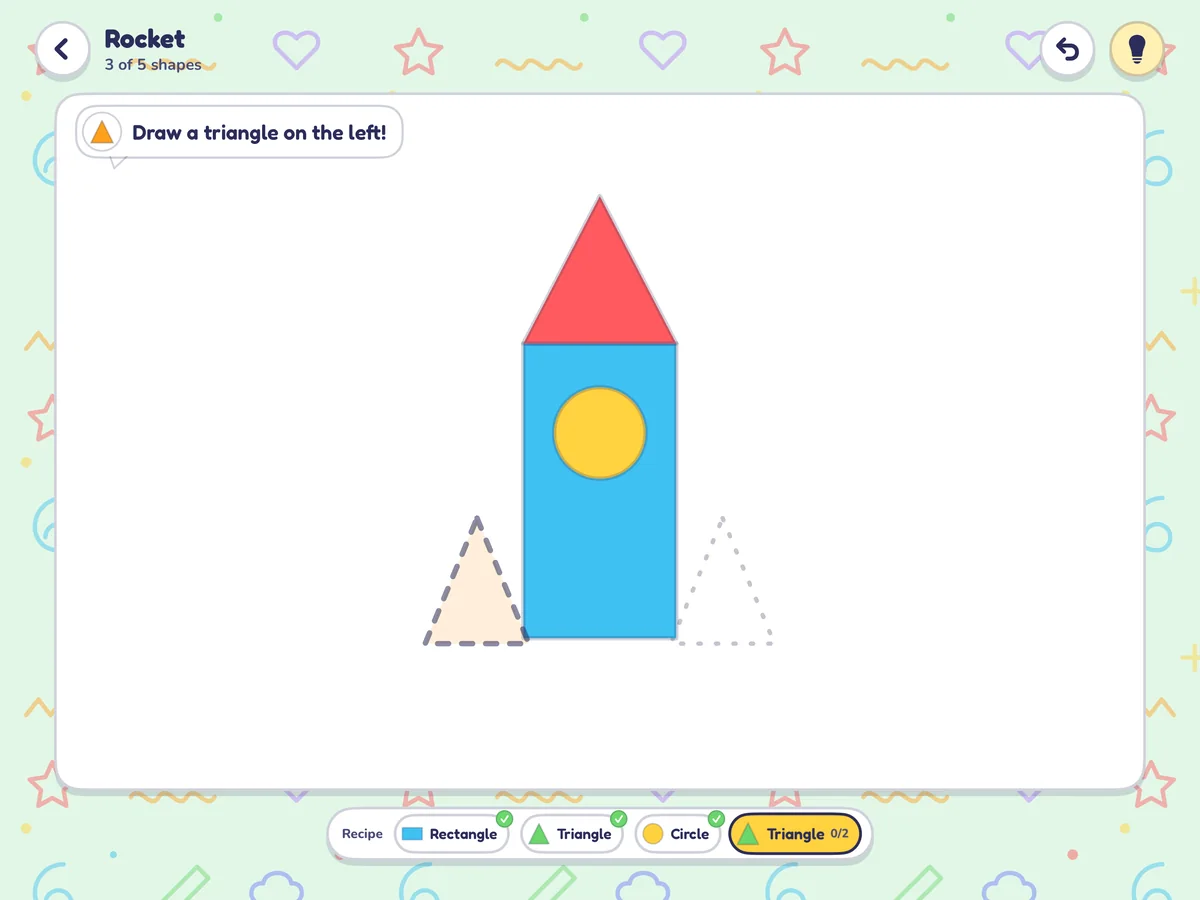
A picture (here, a rocket) is built from a recipe of shapes: rectangle, triangle, circle, triangle. The child draws each shape in the dashed outline, and the shape's name is used every step of the way ("Draw a triangle on the left!"). It practises the diagonal lines and closed shapes that letters such as A, K, V and W need, and the position words (left, right, on top) are good oral language too.
Dot Quest: counting, sequencing and steady lines
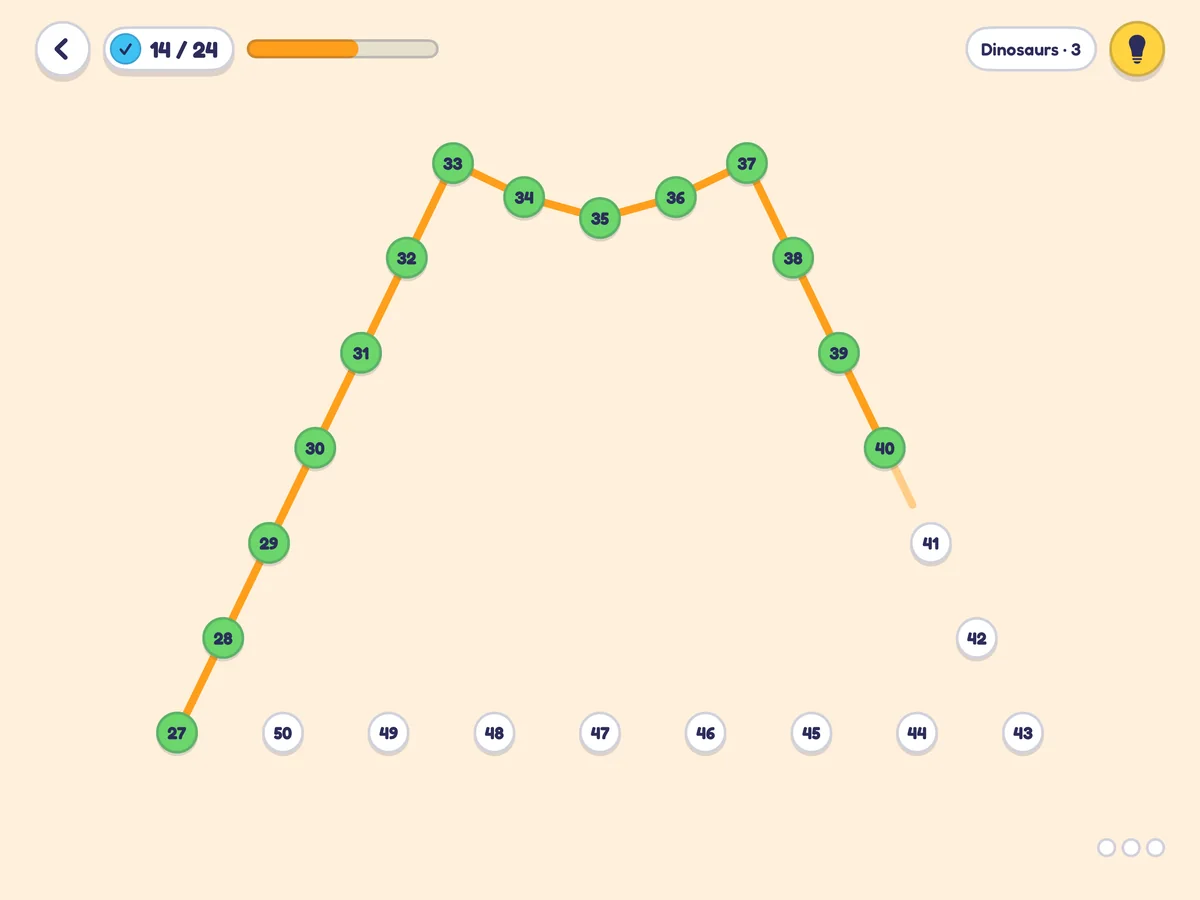
Classic dot-to-dot with a learning layer: the store listing describes rounds that count to 50, use skip counting or work through letters. For pre-writing, the value is the straight, controlled line between two targets, which is the same movement as the down stroke of b, d, h and l. Ask the child to say each number as they reach it; reading numerals aloud in order is good sequencing practice.
The Studio: free drawing, then talk about it
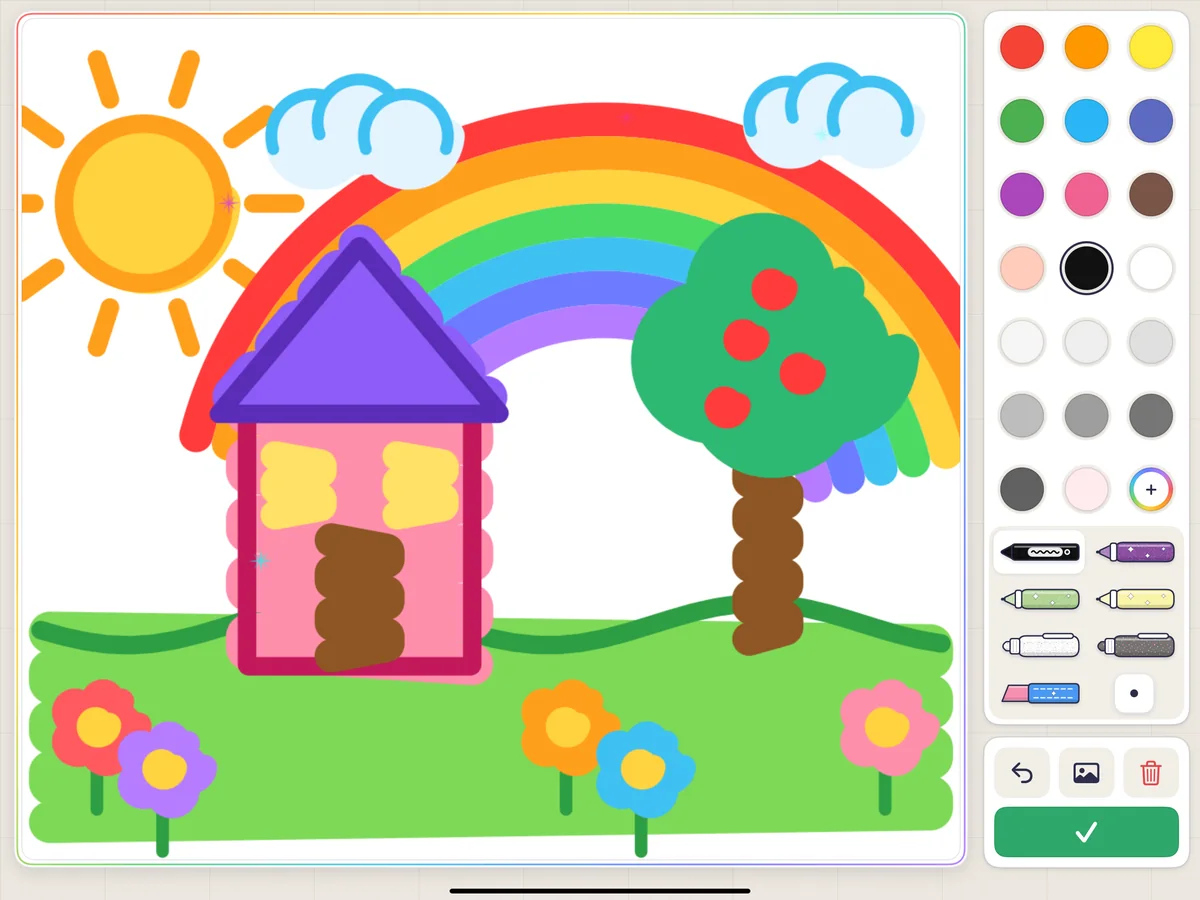
The Studio is a big blank canvas with crayons, markers, glitter, pattern brushes and stickers, and a replay that redraws the picture stroke by stroke (it can be saved as a video). This is not a literacy activity by itself, but it is a great prompt for one. After a drawing, we asked for the story of the picture, then wrote one word from it together on paper: sun, tree, red. Sound it out, write it, and the drawing becomes a reason to spell.
Draw Alive and Color Names: motivation and vocabulary
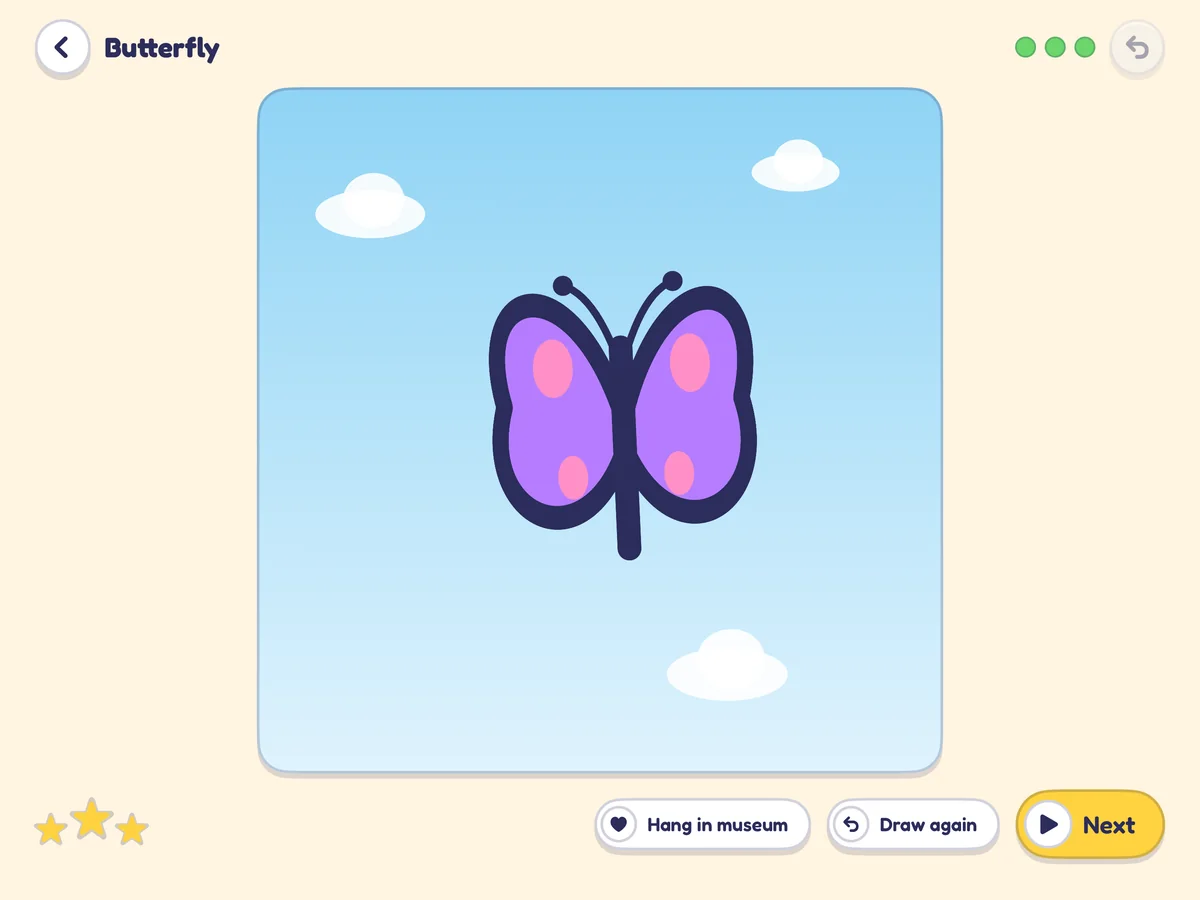
In Draw Alive the child traces a few big lines, colours the shape in, and the animal, flower or rocket comes alive and moves. Big, simple strokes with an immediate payoff make it a good confidence builder for a child who is reluctant to draw. Finished pictures can be hung in the in-app "museum". Color Names lets the child paint with a colour and hear its name, a simple way to build colour words.
The drawing adventures: fun first
Doodle Island (draw boats, homes and bridges for the islanders), Glow Trails (draw glowing paths for a firefly) and Color Kingdom (colour pages and mix paints to bring villagers home) are the headline features in the store. They are imaginative and every action is a drawing, but the literacy link is weak. We used them as the last five minutes of a session, not the main event.
iPad vs iPhone
Both work, and both run in landscape. The iPad is the better choice for letter work: the canvas is bigger, so strokes are longer and more like real handwriting movements, and ABC Draw adds a written hint for each stroke beside the picture card. On the iPhone (the image at the top of this review) the layout is more compact and leans on the numbered dots and arrows. A plain capacitive stylus with a chunky barrel works like a finger on any touchscreen and lets a child practise a pencil-like grip.
Honest cons
- The free tier is a taste. The Studio and some activities are free, and each adventure has a free first area, but most games stop after a few levels. Premium unlocks every region, level, picture pack, lesson, brush and AR world. If ABC Draw is the reason you want the app, expect to need Premium for the whole alphabet.
- Upgrade screens appear. Buying needs a grown-up to pass a parental gate, but the prompts still interrupt. Agree beforehand what happens when a lock appears ("we pick a free one").
- Lots of choice. With around twenty activities, a child can drift from letters to fireworks in a minute. Open the activity yourself and set a timer.
- Video export. Saving a replay as a video works, but unlimited, watermark-free export is a Premium feature.
- Camera features need the right device. Space and sky activities that use the camera ask for access first and need a device that supports AR.
- Screen tracing is not handwriting. There is no pencil pressure, no paper friction and no grip correction. Use the app to model, paper to practise.
Free vs Premium: what you actually get
| Free | Premium | |
|---|---|---|
| Download | Free | Subscription or one-time purchase (see the App Store for your price) |
| Studio drawing and colouring | Yes, with some tools and pages locked | All tools, brushes and picture packs |
| Drawing adventures | First area of each | Every region, world and stage |
| Games and learning activities | A few free levels each | Every level and lesson |
| Replay as video | Available, with limits | Unlimited, no watermark |
| Free trial | May be offered; shown in the app before you buy |
To cancel a subscription on iPhone or iPad, open Settings, tap your name, then Subscriptions, and turn off auto-renew at least 24 hours before the current period ends.
Privacy and safety for parents and schools
- No account to create, no sign-up and no chat. The app signs in anonymously in the background only to download lessons and colouring pages.
- No ads. Purchases and links that leave the app are behind a parental gate.
- Analytics: Firebase Analytics, configured without the advertising identifier, counts which activities are opened and how the app performs. It is not used for advertising.
- Camera: used for AR features only after iOS asks; the image is used live on the device and is not recorded or sent to the developer.
- Drawings, replays and videos are saved on the device and leave it only when you share or export them.
- The guessing game (Guess My Doodle) recognises drawings on the device, without the internet.
A 20-minute drawing + phonics routine
This is the session we settled on. It uses the app for about ten minutes and paper for the rest, and it works for one child at home or a small group with one shared iPad. Pick one focus letter per session, following the order in our free phonics lesson plan.
- Warm-up on paper (3 min). Big lines and shapes on a large sheet or whiteboard: down lines, circles, a cross, a triangle. Say the shape names.
- Model in ABC Draw (4 min). Trace the focus letter, capital then lower case. Say the sound on each stroke ("/m/ … /m/"). One slow trace counts more than five fast ones.
- Freehand on paper (4 min). Write the letter three times without tracing, starting at the same point the app showed. Use our A–Z tracing sheets for the first row, then blank lines.
- Sound hunt (3 min). Draw two quick things that start with the sound, or play Sound Match to hear a sound and pick the matching picture.
- Free draw + label (5 min). Back in the Studio, draw anything. Then write one word from the drawing together, sounding it out.
- Wrap-up (1 min). Watch the replay together and name the focus sound once more.
Keep it short
Stop while it is still fun. If attention fades at minute 12, skip to the free drawing and finish. A daily 10–20 minutes beats an hour once a week.
A one-week plan with the app and free printables
| Day | In Kids Drawing (about 10 min) | Off-screen (about 10 min) | Free on Phonicademy |
|---|---|---|---|
| Mon | ABC Draw: focus letter 1, upper and lower case | Freehand letter on paper, draw 2 things with its sound | Letter Sounds Pack (tracing + keyword cards) |
| Tue | Shape Builder: one picture | Copy the same shapes on paper, name each one | Letter Trace game for the capital letter |
| Wed | ABC Draw: focus letter 2 | Sort pictures by first sound (letter 1 vs letter 2) | Sound Match listening game |
| Thu | Dot Quest: one round, say the numbers | Write both letters from memory | Phonics flashcards for the two sounds |
| Fri | Studio: free drawing, then watch the replay | Label the drawing with one sounded-out word | Printable colouring page from our library |
Links for the right-hand column: Letter Sounds Pack, Letter Trace, Sound Match, phonics flashcards and free colouring pages. For each letter's sound and example words, see the alphabet page.
Which activity for which goal
| Goal | Stage | In Kids Drawing | Pair it with |
|---|---|---|---|
| Strengthen hand control | Scribbling, starting to hold a crayon | Studio free drawing, Draw Alive | Big crayons on paper; play-dough |
| Pre-writing shapes | Can draw lines, learning closed shapes | Shape Builder, Dot Quest | Copy shapes on paper; our multisensory activities |
| Letter formation | Knows some letters, ready to write them | ABC Draw (one letter at a time) | A–Z tracing sheets, then blank lines |
| Letter–sound link | Learning first sounds | ABC Draw with you saying the sound | Sound Match, flashcards, the lesson plan |
| Colour and shape words | Building vocabulary, including English learners | Color Names, Shape Builder | Name colours in a drawing together |
| Motivation for a reluctant drawer | Any | Draw Alive, the drawing adventures | Short sessions, praise effort, not neatness |
For more off-screen ideas, our multisensory phonics activities use sand, clay and movement, and How to Introduce Letter Sounds covers the order and pace for first sounds.
Common problems and what to do
| What you see | Why it happens | What to do |
|---|---|---|
| Races through the tracing path | A smooth screen rewards speed | One slow trace while you count the strokes, then paper |
| Starts letters at the bottom | Old habit from free drawing | Point to the 1 before each trace; use the same start dot on paper |
| Mixes up b and d | Mirror letters are hard for every beginner | Trace b then d on separate days; see our b and d guide |
| Wants only the adventure games | They are designed to be the most fun | Use them as the last 5 minutes, after the letter work |
| Upset when a lock appears | Free levels run out | Agree the rule in advance: choose a free activity |
| Good on screen, messy on paper | No pencil grip or friction on glass | More paper time; a chunky stylus; short daily practice |
If letter reversals keep coming back, read My Child Confuses B and D and Child Reverses Letters When Writing.
Is Kids Drawing the right drawing app for kids at your home or school?
If you want a calm, ad-free drawing app for kids that does more than colouring, and you are willing to sit alongside for the letter work, yes: ABC Draw, Shape Builder and Dot Quest are genuinely useful pre-writing tools, and the creative side keeps children coming back. If you only want a free alphabet tracer, try our browser games first (Letter Trace and Letter Pals) and decide on Premium later. For a wider look at phonics apps, see Best Phonics Apps in 2026.
Get the app
Kids Drawing, Doodle Painting on the App Store — free to download on iPhone and iPad. Check the current Premium options and price for your country in the store before you subscribe.