
Free Name Tag & Desk Label Template — Editable PDF
Rows of name tags you can type into and print. Use them as desk labels, cubby tags, coat hooks or sticker labels at the start of the year.
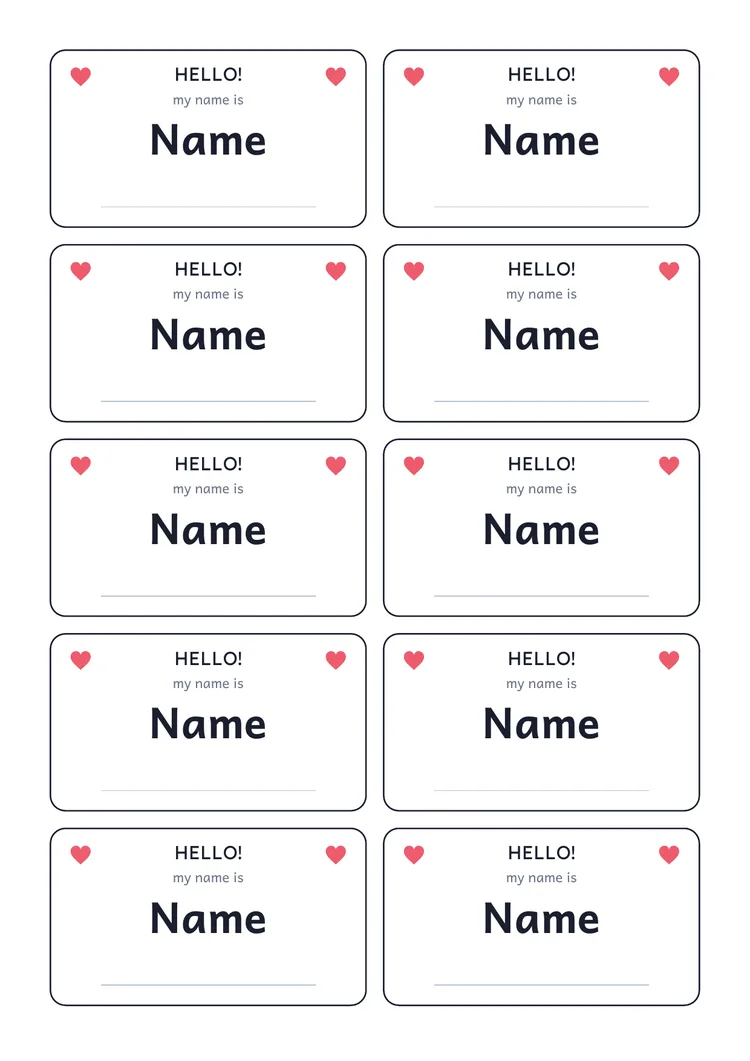
Free · No sign-up to try · Sign in only to save · Export as PDF · Grades Pre-K–5
What you can do with it
- Label desks and cubbies before the first day
- Make name badges for a trip or event
- Mark book boxes and supply trays
What you can edit
- Each name
- Tag size and number per page
- Colors, fonts and borders
- Small pictures or icons
How to use the name tags & desk labels template
- 1
Open the template
Press the button to open the name tags & desk labels in the editor. It is a normal page you can change.
- 2
Make it yours
Click to type, drag boxes, add pictures, and change colors and fonts until it fits your class.
- 3
Export a PDF
Download your PDF in A4 or US Letter to print or share. Sign in only if you want it saved in My PDFs to edit again.
More free templates
Frequently asked questions
Can I use full names?+
You choose what to type. First names or a nickname are usually enough for desk labels and keep the printed file simple to share.
Is this name tags & desk labels template free?+
Yes, free to open, edit and export as a PDF. You do not need an account to try it; sign in only if you want to save your edited copy.
Can I print it without editing?+
Yes. Open the template, export it as it is, and print blank copies on A4 or US Letter.
Do I need Word or Google Docs?+
No. You edit it in your browser and download a PDF.
Create, edit & export PDFs online — free
Make your own worksheets, flashcards and charts in your browser, or open any PDF and add text, answers and names. Print or share the result.
Free · No sign-up to try · Sign in only to save
Looking for step-by-step phonics lessons? Try the free online lessons.
- Start from a template or a blank page
- Edit any PDF: add text, answers and names
- Export a print-ready PDF, free